
Overview
Forums are a networking tool to share ideas with other exhibitors or attendees on the platform. Forums are organized into categories and subcategories and allow you to post comments or questions as well as reply to other posts.
In this article:
Step by Step Walkthrough
Step 1 - Log into the site
Find the “Login” button in the upper right-hand corner of the site’s homepage or login directly from the site’s login screen.
Step 2 - Go to your dashboard
If you are not taken to your dashboard after logging in, click your name and then "My Dashboard" in the upper right-hand corner of the site.
Step 3 - Navigate to Forums
From the dashboard, select "Forum" in the left-hand navigation bar.
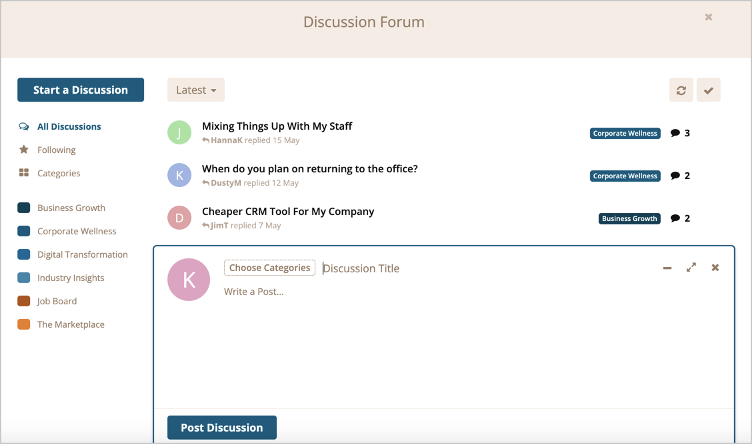
Step 4 - Start a Discussion
- Click the "Start a Discussion" button to enter a post.
- Click "Choose Categories" to select the category to post the discussion in.
- Reply to an existing discussion thread by clicking the title of the thread.
- Click category names on the left-hand navigation to view discussions in these categories.
Comments
0 comments
Please sign in to leave a comment.